Friday, June 26, 2009

On Her Way

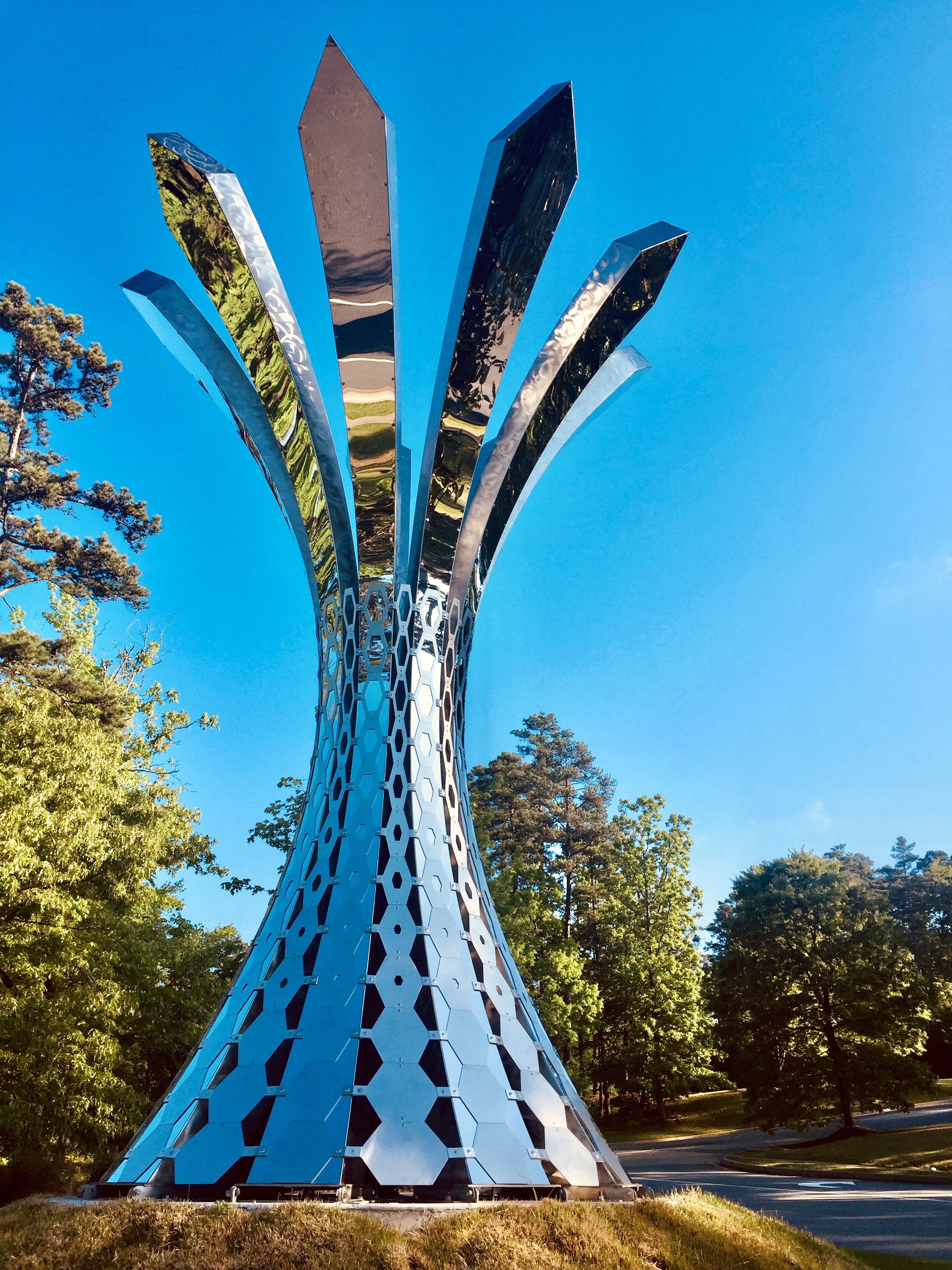
We loaded up the mermaid and sent her on her way to Norfolk - complete with TV coverage.
Mermaid on Camera 2
Mermaid in Flight 1
Mermaid - On Deck

Sunday, June 21, 2009

Metal Mermaid

OK, the mermaid is pretty much done - I have a couple more hours of texturing and touching-up, but I've got all day tomorrow. We put her on a truck for Norfolk on Tuesday. Here are a few shots showing the assembly process. (Descriptions are UNDER each pic.)
Mermaid Fabrication
The flat pieces, cut according to the pattern I posted earlier. Cut with a laser from 14 gauge stainless steel.

Mermaid Fabrication (4)
Beginning the process of sorting out who goes where - these are parts of the tail fin. You can see the leading and trailing edges up front and the side faces in the background. I use the neighboring pieces as bending guides; as the edges are drawn together, it forces the planar sheets to curve into the proper shape.

Mermaid Fabrication (6)
The tail tacked together.

Mermaid Fabrication (8)
Her hair being assembled. You can see some of the printed out guides from Rhino that I use to keep myself somewhat less confused.

Mermaid Fabrication (11)
The face was, ahem, a real bitch to get to fit properly. I should have broken that center strip up into at least 3 parts - this would have saved about 3 hours of bending and tweaking due to the tight curves in opposite directions lying right next to each other. I printed out a profile section at 1:1 scale from Rhino to use as a guide. Do you get the idea that I love that program?

Mermaid Fabrication (14)
Parts being finish welded.

Mermaid Fabrication (17)
One arm is assembled and chased, with another underway. This is about when I remembered fully just how hard 304 stainless really is. There is carbon in there, and it precipitates into the Heat Affected Zone around and in each weld - making it just that much harder right where you need to grind. Weee.

Mermaid Fabrication (19)
The other arm roughly finished and the start of the main portion of the tail.

Mermaid Fabrication (21)
Attaching the face to the hair - with both mostly chased out. This was the last of the small parts to get done before moving on to assembling the tail/body and hooking them all together.

Mermaid Fabrication (24)
Mermaid Fabrication (30)
Putting the structural member in. I designed the structure keeping in mind two factors: the fountain construction docs called for a 6" sleeve to receive the sculpture, and aesthetics. I used 5" standard pipe to slide down into that 6" sleeve, plus the thick pipe looks less like a lollypop. Structural engineers in Norfolk analyzed my design and found it adequate without any changes to account for all the forces in play on the piece - that means I done goodz.

Mermaid Fabrication (32)
Torso panels going on.

Mermaid Fabrication (39)
Attaching the first arm - I was able to spin the pipe on the table in order to work on both left and right halves. My back thanks me. At this point, the size of this thing in comparison to the garage is becoming really evident.

Mermaid - Upright
John Kinkade of the Guild and Mike Allison helped me stand her upright. I built a shipping stand for her so she can ride upright on the truck out to Norfolk - I like to avoid having the piece in contact with the flatbed when possible to minimize the risk of denting the (relatively) thin sheet metal. I also prefer not to attempt to cover the sculptures - the coverings tend to do more harm than good.

Mermaid Fabrication (45)
Yours truly doing some final chasing on the parts I couldn't get at in the garageshopstudio.

Mermaid Fabrication (48)
Got a sunrise shot of her the next day. Basically done but for some final texturing and nitpicking.

This was a huge project for me - not in terms of size, but time. Start to finish in just about a month is pretty much unheard of. I wasn't sure if I could do it. 10 hour days for 30 straight days will do it, I guess. That and lots of beer and the support of a really awesome woman.

And some great friends.

And a good portion of too stupid to know better.

Sunday, June 7, 2009

Bizzy. Backsun.

I've been out in the shop (studio? - either way, it's just the freaking garage) bending and welding sheets of stainless steel into the shape of a mermaid - for 18 straight days.

Why the hell would you want to do that, Mark?

The City of Norfolk, Virginia contacted the Guild looking to have their iconic mermaid logo sculpted into three dimensions. Ren put together a package of potential artists, and, long story short, they chose me. The single greatest criterion for this choice was most likely the simple fact that the fabrication method I use permits a much faster design-to-finished-sculpture time frame. Ya see, Norfolk first contacted us at the tail end of April - with an unveiling date of July 2nd. That pretty much rules out anything cast - and should rule out any kind of sculpture at all, unless crazy people happen to be involved - ooh, look at the grouse!

I spent a couple weeks in May coming up with two designs for them to choose from, both based on their original logo.
Mermaid Outline
The first idea was simpler from a fabrication standpoint. It consisted of a series of plates bolted together.
Mermaid - first design
This concept was nixed - probably a bit too industrial. I loved it, most likely because I'd be done with it already.
Time was so tight Ren put her considerable drafting skills to work on the second design while I doofused around in Solidworks on the first one. Here's what she came up with:
Mermaid - Main View
Hmmm. Who's the artist on this project?
Showing perfectly sensible good taste, the City chose Ren's design.
(Time for dinner. More later.)

So, now it's time to figure out HOW to make it. I struggled for just long enough to realize that Solidworks is just not the right tool for such a task. Nor would any of the other tools in my toolbox be fast and accurate enough (in my hands at least) to build the complex surfaces needed for the mermaid. FormZ? I'd have thrown my computer out the window after half an hour. I realized that an old friend was going to be required - hey Rhino, how ya doin'? Before I lost my marbles and abandoned the Windows world for a Mac, Rhino was the program that first enabled me to make the switch from carving stone to computer sculpting. I was amazed at how it all came back to me - I was able to jump right back in almost as if the last 5 years hadn't intervened.

Nonetheless, I was still too inept to just start building developable surfaces that looked like the mermaid in Rhino. I needed something to start from - so I modeled the rough form in Modo.
Mermaid in Modo
It was pretty easy to flesh out the shape I wanted - that sort of work is the bread and butter of polygonal modelers like Modo. Plus, it exports formats that Rhino has no problems translating. Here's the mesh out of Modo with the beginnings of surfaces (the tail) that will eventually be the sheet metal of the mermaid.
Mermaid - Mesh to NURBS in Rhino1
Some more progress:
Mermaid - Mesh to NURBS in Rhino2
And the finished model:
Mermaid 4-View
From here, it's time to unroll all those surfaces so that they can be used as a pattern to drive the laser cutter. My Rhino rustiness let me make a few problematic surfaces - they were curved in two directions, which is pretty damn hard to persuade 14 gauge stainless steel sheet to do. Happily, Rhino also includes tools to compensate for this - actually, Rhino seems to be one of those programs that allows you to do pretty much anything you can think of; the tools are there if you just dig deep enough.
Anyway here's what the unfolded parts look like:
Mermaid Paths
And here's the final design, all gussied up for its trip to Italy:
Mermaid Render - Front
(No, it's not REALLY Italy - just a cheesy computer render)
I'll post more when I get some time.

Friday, May 1, 2009

Bithday!

As near as we can decipher, today Lola is three years old. Congratulations on surviving your sketchy childhood, your trying adolescence, and the rules of your monkeys.

Lola_Is_Tree

I just realized that this photo contains my three favorite things - Ren, Lola, and Beer. Sweet.

Wednesday, April 15, 2009

Postbarf.

In an effort to make up for a dearth of posts, here's a whole bunch of crap vomited into the tubes all at once.
BookMobile - bottom 2
Book mobile design for a school in Little Rock, Arkansas. Here's another angle:
BookMobile - top
Buffalo - Pattern and Model
Once again when I'm desperate for cash, my friend Bruce comes through. I spent quite a bit of time working with him to get a usable unfolded pattern made for his buffalo piece. Looking forward to seeing it finished one of these days.
Ristra Mobile
Have some good clients down in Santa Fe who are looking to find a way to bring some durability to the omnipresent ristra. (They are having problems with the wind, mice and ants destroying the traditional ones.) This was my first concept, which fails on the wind-resistance front. Presently working on iteration number two.

Net Operating Loss - A simple How-to

Finished up my taxes after much trepidation and procrastination. The final tally: a Net Operating Loss - which means I lost money in 2008 and don't owe the IRS a cent. Yippee? For the curious, here's a simple diagram that explains how to achieve such a feat:
Water and Power DimsAPPROXfigs
Water and Power 25ft. (!)
Translation: Just agree to enlarge your job by 50% without a commensurate increase in compensation - or, just be a frickin' idiot.
That is all.

Sunday, January 18, 2009

Retrace your steps.

I've been spinning in place a bit. On a whim, I tried dipping into Brian Eno's Oblique Strategies for a little inpiration, and the message was "Retrace your steps." I wandered back through the timeline of my experiences as an artist, and arrived at the time when I had first fallen in love with the computer as a creative tool. I was using my Apple Macintosh LC, and had installed a program called "Canvas" that had an unbelievable set of both vector and pixel tools. I remember the clean, infinitely-tweakable lines (command-Z, how I love thee!) that I could use to make drawings. I wish I'd managed to save some of that stuff so we could have a good laugh.

Anyway, like any proper geek, I have a dual-boot system with Vista and Ubuntu. Part of my inertia has been related to frustration with the constant pull of new and newly-upgraded software, especially the heaps of cash involved. Thus the appeal of Ubuntu - and of Inkscape thereon. Inkscape is, IMO, the best Open Source software available. I own a license of Adobe Illustrator, and DREAD opening that bloated behemoth - Inkscape doesn't have the depth of tools, but that's the point. It is a streamlined Illustrator driven by the needs of the user rather than the need of a corporation to sell licenses and upgrades. Another contrast comes from my involvement in 3d modeling - it just starts to feel like the means are so involved that the ends often seem off in the foggy distance. Vector drawing brings the immediacy of making marks on paper to the computer, while still allowing amazing control over the process.

Here's what I did in Inkscape:
FemHead

Monday, December 15, 2008

More SolidWorks designs.

SkatePark_Entry 04
Entryway for a skateboard park with walls for donor plaques.
Mokingbird Awning-shadow
Stainless steel "awning" designed to emphasize the cast shadow.

Tuesday, November 11, 2008

Skinning the bases.

Water&Power 008

Ren helped me install the second layer of 12 gauge sheets to the bases. In the lovely "November in Colorado" wind - a 30 mph gust can sure make 150 pounds feel like 300. Yippee! Drilled and placed over 200 rivets over the course of three days.

Bitching aside, it's that much closer to being done.

Thursday, October 9, 2008

Water and Power - installed.

W&P Install 019

The Water and Power sculptures are (finally!) in their rightful places. I was a little too busy to get any good action shots, but I'll see if I can't find some and post 'em. In the meantime, check out my flickr photostream for more.

These things are really, really big. And blue. And yellow.

Tuesday, September 30, 2008

That's what I'm talkin' 'bout.

Here's a peek into what has me so excited about Solidworks:
TetSunCapture
This is what the model looks like as you're working on it. Shadows, perspective, depth cues, surface textures - wow. And that's just the display. This is what I was working with before:
TetSun-FormZCapture
That may not seem like a major deal, but in practice every little nuance that improves your interaction with the virtual model means less eye strain, better comprehension, and fewer errors.

The geometry you see in the first picture is an honest-to-reality depiction of the sheet metal, folded up and mated together with allowances for overlap and k-factor built right in. Previously, the 3d models I made were paper-thin approximations that required me to grind the metal down to compensate for the lack of thickness. That may again sound like no big deal - but the last one of these I fabbed ended up with a nearly 1 inch gap between the first and last tetrahedrons, all because of the thickness of the metal multiplied by the number of parts (.063 inches X 12 parts =.756 inches).

Pictures are indeed worth lots of inane rambling:
Tetrahedral Sun Fab 1
Tetrahedral Sun Fab 2
Tetrahedral Sun Fab 3
Tetrahedral Sun Fab 4
In the last image you can see that the one remaining tetra will not be enough to complete the loop.

Now, imagine if I were making this thing 16 feet tall - that little error becomes a very big problem. Pulling a little gap together in the small one becomes warping and ruining the piece on the big one.

Sunday, September 28, 2008

Going back to Windows with an aching in my heart.

I'm typing this entry in Microsoft OneNote on my new Vista-based workstation.

WHAT?! The Apple fanboy has joined the enemy? Turncoat!

Yep.

The single biggest reason I have for doing so is software-related. If you remember back to this post, I was having enormous difficulties getting my modeling software to properly create the geometry I needed for the Water & Power project. Much of that difficulty was a result of what the software developers call "training issues" - a kind euphemism for operator error. Those errors were a direct result of me trying to shoehorn general-purpose modeling into a very specific, sheet metal and structural steel framework. After several additional weeks of cussing and learning, I THOUGHT I had resolved my issues and developed usable 2d patterns from my 3d models. A few weeks later, I came to find out (the hard way) that I was mistaken - some cut lines had been omitted from the pattern, which entailed reworking the patterns all the way from their 3d state for those particular shapes. I was able to do so and then generate some cutting templates with the help of the big printers at Kinko's, but the whole error resulted in a pretty expensive change order at the fabricator. Not to mention the stress and the added work for me.

I realized at that point that if I wanted to continue to push myself and my designs via CAD, I was going to have to find a toolset and workflow that would minimize these kinds of errors. My trust in the current set of software tools I was utilizing had been undermined and the need for something new was self-evident.

Solidworks to the rescue.

I got an evaluation license and set up a Bootcamped Windows XP partition on my Macbook Pro. I did all the included tutorials, watched a few hours of demo videos on Youtube and elsewhere. WOW. Solidworks can do everything I was contorting myself to do in my previous packages (yes, plural) all in one unified workspace - and it can do it with an elegance and sheer power that blows me away. The most significant aspect is the History, which allows you to make changes to existing designs while automatically updating said design to compensate for the change. For example, say I decide to change the material for a sculpture from 16 gauge A36 steel sheet to 14 gauge 304 stainless steel. All that is needed is to tell the sheet metal feature in the feature tree that fact, and all the bend allowances, offsets, etc. are updated on the fly. In addition, any drawings that have been produced (again, right inside Solidworks) are immediately updated to reflect the change. That last bit is HUGE, since the downstream manufacturers rely on these drawings to fab the design. With my previous system, I would have to manually make any necessary changes to the 3d model, re-develop the patterns, export the patterns to my drawing program, and annotate the revisions there. Each of these steps introduces the possibility of mistakes - both mine and import/export related ones. Eliminating them means eliminating a big percentage of the errors that result in expensive change orders. Sweet. Now, mind you, all this power comes at a steep price - but one that can pretty quickly be compensated for in error-free projects.


OK, so, if I'm able to run it on my mac laptop, why a new computer? Unfortunately, the makers of Solidworks, Dassault Systemes, do not offer support for running it on macs. It makes zero sense to invest several thousand dollars on a software package only to run it on a cobbled-together system that precludes you from technical support in the advent of problems. Plus, Solidworks is a very hardware-intensive package, and a serious desktop workstation allows one to use it to fullest advantage.

Moving from OS X to Windows Vista is a pretty jarring experience - mostly in terms of attitude toward the user. Maybe it is just general familiarity, but Apple seems to have crafted a user environment that leaves less to bewilderment and officiousness. Not a day goes by on Vista where I'm not wondering what the hell that dialog box means or why that error occurred - something that, in all seriousness, almost never happened on the mac. I understand the why behind this - Apple does not have the legacy overhead for both software and hardware that Microsoft has to deal with, and of course the sheer number and variety of users forces Bill and Ballmer and Co's hand. But I personally would pay extra to MS to have a simplified, less paranoid version of Windows to run Solidworks on. Here's hoping Windows 7 is a step in that direction.

I'll miss you, little Macbook.

Thursday, September 25, 2008

Water & Power - the end is near.

Water&Power 002I intended to follow up on my previous post with a little info about my new computer and new software, but forming and pouring 30 cubic yards of concrete sorta stifles the urge to make blogginess. I've been having a blast, despite working my ass off, due mainly to getting a chance to work with my big brother Scott again. Couldn't have done this one without him.

Thanks dude.

Sunday, September 7, 2008

Ch-ch-ch-changes.

Thing are under construction around here. I'll post a more detailed explanation of what's going on soon - but for now, suffice it to say that I'm moving back to Blogger and using it as my main web portal. I was able to consolidate all my old Emptyful posts into this new Exocubic Studio blog using Google's Blogger in Draft mode, which allows importing and exporting whole blogs. So if you haven't had a chance to look at the old stuff, there are actually some pretty interesting posts from way back. Here are a couple:

Making a Monument
Moldmaking

Talk about coming around full circle:
Evolution

Tuesday, September 2, 2008

...and Power is, uh, Yellow?

"Power" in yellow

Monday, August 11, 2008

Pre-School Wisdom: Water is Blue

Water is Blue

Friday, August 8, 2008

Symbol Sconces

I’ve made some candle holders that mount on the wall (uhh - you hang ‘em on a nail). They are made of 14 gauge stainless steel with a sanded matte finish. You can put one or two tea lights on the little shelf that is sandwiched between the plates.
Candle Sconce Set
Here’s a diagram that shows how they are constructed:
Martini Sconce 3dEXPLO
And a truly professional night shot, with a lit candle:
Candlelit Sconce

Wednesday, August 6, 2008

Exocubic Studio Store now open!

Notice that new link up there (on the right)? Yep, I’ve opened an ecommerce storefront where some of my smaller works can be purchased. Go check it out!

"Water" being sandblasted.

TD manufacturing in Greeley, Colorado prepping the “Water” piece for powder coating. Lloyd from Master Metal Works and I ran out to look it over and correct any flaws (I point out, Lloyd corrects). The metal looks really good. I’m excited that this project is finally starting to coalesce.
Sandblasting "Water" - 3

Wednesday, July 16, 2008

And so is Pas de Deux.

Pas de Deux at Columbine